
Getting usable data from a wildlife study depends far less on the camera you buy and far more on how you configure it. A well-placed unit with the wrong trigger delay or resolution can fill a card with empty frames and miss the animals that matter. This guide walks through the trail camera settings that matter most for wildlife research, so your captures are consistent, comparable and ready to analyse.
Trigger settings: sensitivity, delay and detection
The passive infrared (PIR) sensor is the heart of any research deployment. It detects the difference between an animal's body heat and the background, then fires the shutter. Tuning it correctly is the single biggest factor in your capture rate.
- PIR sensitivity: Set it high for small or fast mammals (mustelids, hares, foxes) and in cooler climates where the heat contrast is strong. Lower it in warm summer conditions or near swaying vegetation, where sun-warmed leaves cause false triggers.
- Trigger interval (delay): This is the pause between captures. For a behavioural or activity study, a short 5-10 second interval documents movement in detail. For long-term monitoring where you only need presence data, a 30-60 second interval saves storage and battery.
- Multi-shot or burst: Capturing 3 photos per trigger dramatically improves species identification, since a single frame often catches an animal mid-turn or partly obscured.
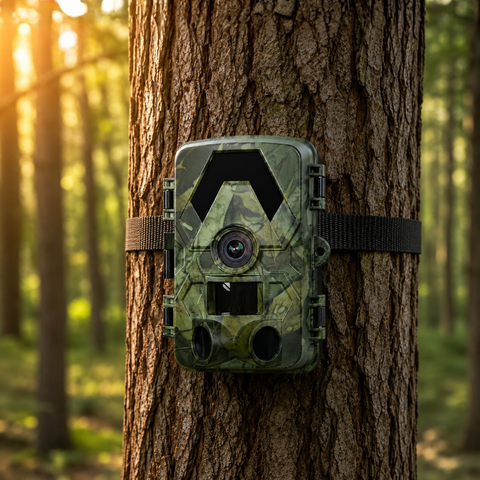
Every SightForest trail camera uses a PIR trigger with a 112-130 degree field of view, so a single well-aimed unit covers a wide trail or clearing without blind spots at the edges.
Resolution, IR and night captures
Research often lives and dies on whether you can identify an individual animal, so image quality settings deserve real attention. All SightForest cameras record 4K UHD video and shoot up to 60MP photos, which gives you room to crop into antler patterns, coat markings or ear tags without losing clarity.
Choosing a resolution
Higher is not always better. Maximum resolution produces larger files that eat card space and slow write times between triggers. For most studies a strong middle setting balances detail against how many days the camera can run unattended. Reserve full 4K video for behavioural work where motion carries the information.
Night-time and no-glow IR
These cameras use no-glow (940nm) infrared reaching roughly 20 metres, which illuminates the scene without a visible red flash. That matters for wildlife research in two ways: it avoids spooking sensitive or nocturnal species, and it keeps the camera discreet from people. Keep the camera within that 20 metre range of the expected animal path, because subjects beyond the IR reach appear as dark, unidentifiable shapes.
Storage, connectivity and reliable retrieval
Nothing wastes a field season faster than a corrupted or full memory card. SightForest cameras accept microSD cards up to 128GB, and how you retrieve that data should shape which model you deploy.
- Offline sites: The SD Trail Camera 4K records straight to microSD with no network dependency, which is ideal for remote plots where you visit on a fixed schedule to swap cards.
- On-site review: The WiFi Trail Camera 4K lets you check captures on your phone at the camera, useful for confirming aim and framing before you leave a survey point.
- Remote monitoring: The 4G and 4G Solar models send images over a cellular network so you never disturb the site between checks. They run on your own standard nano-SIM (not included) — a regular data SIM, never an eSIM. There is no monthly subscription tied to the camera, so ongoing costs stay entirely under your control.
Whichever model you choose, pair it with a high-endurance card such as our 128GB microSD card and always format the card in the camera before deployment. Formatting on a computer can leave a file structure the camera handles poorly, which is a common cause of mid-study data loss.
Timing, timestamps and field robustness
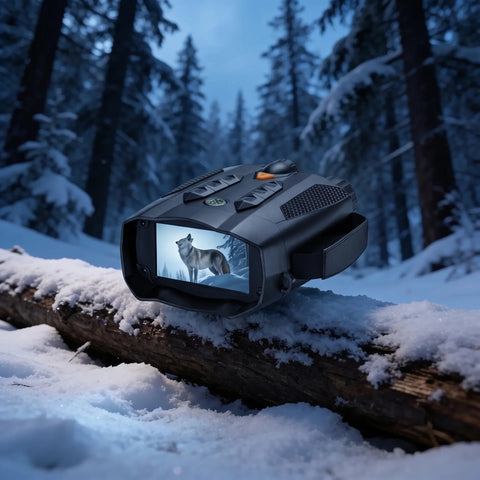
Before you leave a site, confirm three things: the date and time stamp is correct (essential for building activity curves), the capture mode matches your research question, and fresh batteries or a charged pack are installed. Set the camera to capture around the clock unless you are deliberately studying diurnal or nocturnal windows. All SightForest cameras are rated IP66, so rain, dust and humidity across European seasons should not interrupt a long deployment. For close-range observation between camera checks, a pair from our night vision binoculars collection lets you scan the surrounding habitat after dark without lights.
A quick starting configuration
If you are setting up a new monitoring station and want a sensible default, start here and refine after the first card pull:
- Mode: Photo + short video, or 3-shot burst for identification studies.
- PIR sensitivity: High in cool conditions, medium in summer or near vegetation.
- Trigger interval: 10 seconds for behaviour, 30-60 seconds for presence monitoring.
- IR: No-glow, subject kept within 20 metres.
- Storage: 128GB card, formatted in-camera, timestamp verified.
Good wildlife research data comes from consistency: set the same parameters across every camera in a study so your captures are directly comparable, then adjust only after you see how animals actually use the site. Review the first card within a week or two, tune sensitivity and interval to cut false triggers, and your stations will quietly gather clean, analysable data season after season. Browse the full trail camera collection to match a model to your site's connectivity and power needs.
