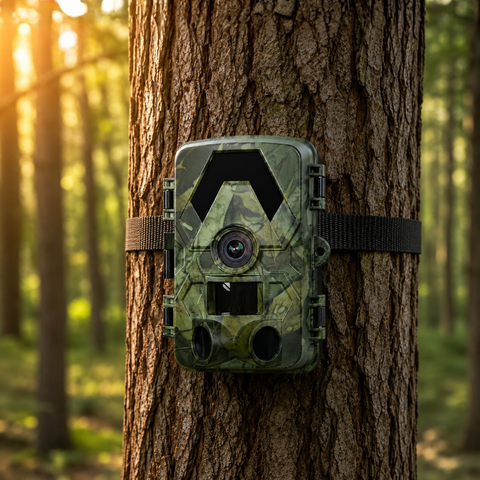

Winter is one of the most rewarding seasons for wildlife watching. Bare trees, snow-tracked ground and hungry animals moving in daylight all make for stronger captures, but sub-zero temperatures, condensation and short battery life can quietly sabotage a camera that ran perfectly all summer. This guide walks through the cold-weather habits that keep your trail camera reliable from the first frost to the spring thaw.
How Cold Weather Affects Your Trail Camera
Most trail cameras are built to survive winter, but a few things change once temperatures drop. Battery chemistry slows down, so the same cells that lasted months in autumn may fade in weeks. Moisture becomes the bigger enemy: warm electronics inside a freezing housing invite condensation, which can fog the lens or, over time, reach the circuit board. And the passive infrared (PIR) sensor that triggers your camera works by detecting the difference between an animal's body heat and the background. In a cold, snowy landscape that contrast is actually sharper, so triggers stay dependable, but wind-blown snow and swaying branches can cause false captures if placement is careless.
The good news is that every SightForest trail camera carries an IP66 weather rating, meaning it is built to shrug off driving rain, dust and snow. The steps below simply help the camera perform at its best when the weather is at its worst.
Batteries: The Number One Winter Priority
Cold drains power faster than anything else, so this is where most winter problems start. A few choices make a real difference:
- Use lithium batteries, not alkaline. Lithium AA cells hold their voltage far better in freezing conditions and last dramatically longer than standard alkalines when temperatures fall below zero. This single swap solves most winter battery complaints.
- Avoid rechargeable NiMH cells in deep cold unless you can service the camera often. They tend to lose charge quickly at low temperatures.
- Check your batteries more frequently. Set a reminder to inspect levels every few weeks rather than assuming a full set will last the season.
- Consider going solar. If you would rather not fight battery drain at all, the 4G Solar Trail Camera 4K tops itself up from daylight and sends images over the cellular network, which means fewer winter trips into the field.
One thing you never have to budget for is a monthly plan. SightForest 4G cameras have no subscription of any kind. They use your own standard nano-SIM (not included), never an eSIM, so your only running cost is the data plan you choose.
Beating Condensation and Moisture
Condensation forms when a warm camera meets cold air, or when a cold camera is brought into a heated room. Managing that temperature swing keeps your lens clear and your electronics dry:
- Open the housing indoors before deploying. Load batteries and the microSD card in a dry room, then let the sealed camera acclimatise outside for a while before you expect it to shoot cleanly.
- Add a small desiccant pack. A silica-gel sachet inside the housing absorbs trapped moisture and helps prevent internal fogging over long winter deployments.
- Angle the camera slightly downward. This keeps snow, meltwater and frost from settling on the lens and the sensor window.
- Wipe, don't scrape. Clear frost from the lens with a soft dry cloth. Never scrape ice off the glass or the IR window.
- Let it warm up gradually. When you bring the camera indoors, leave it sealed until it reaches room temperature so condensation forms on the outside, not on the internals.
Placement, Framing and SD Card Care in Snow
Winter placement is a little different from summer. Snow reflects a lot of light and infrared, which can wash out night shots if the camera sits too close to an open white field. Position it so animals pass at a natural distance rather than right in front of the lens, and remember the no-glow IR reaches roughly 20 metres, with a field of view between 112 and 130 degrees depending on model. That wide angle is generous, so aim along a trail or feeding area instead of pointing straight at glare.
Keep these seasonal habits in mind:
- Mount higher than usual. Heavy snowfall can bury a low camera or trigger it constantly. Raising it also keeps the lens above drifting snow.
- Clear the trigger zone. Trim branches and tall grass that will whip about in winter wind and cause empty captures.
- Face away from low winter sun. The sun sits lower in the sky, so a camera aimed south can catch harsh backlight around dawn and dusk.
- Mind your storage. SightForest cameras record 4K UHD video and 60MP photos onto microSD cards up to 128GB. High-resolution winter footage fills a card fast, so a spare 128GB microSD card means fewer cold-weather retrievals.
- Handle cards warm. Swap the microSD indoors when you can. Cards and contacts are more fragile when frozen and fingers are less nimble in gloves.
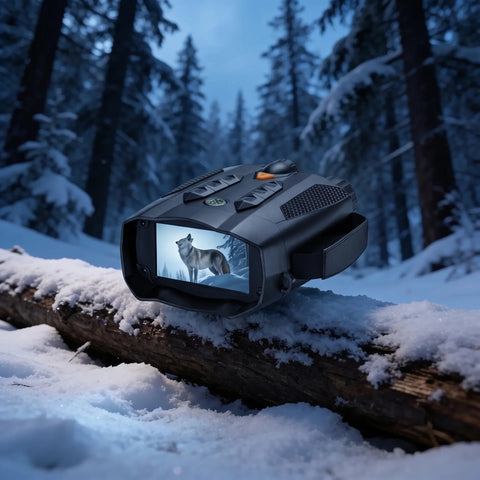
If you would rather review footage without touching the camera at all in bad weather, a connected model earns its keep in winter. The trail camera range includes on-site Wi-Fi and cellular 4G options so you can check captures from warmth instead of trekking out through snow. And for scouting on foot between camera checks, night-vision optics make a real difference in long winter darkness; browse the night-vision binoculars collection to see in true dark.
Conclusion
Winter trail-camera care comes down to three habits: run lithium or solar power, control moisture with careful handling and a desiccant, and adjust placement for snow, glare and wind. Do those consistently and your camera will keep capturing right through the season. Every SightForest camera ships with a 3-year warranty and a 30-day return window, dispatches within about 48 hours and arrives on tracked delivery in 7 to 9 business days, so you can have a cold-ready setup in the field well before the deepest frost arrives.
