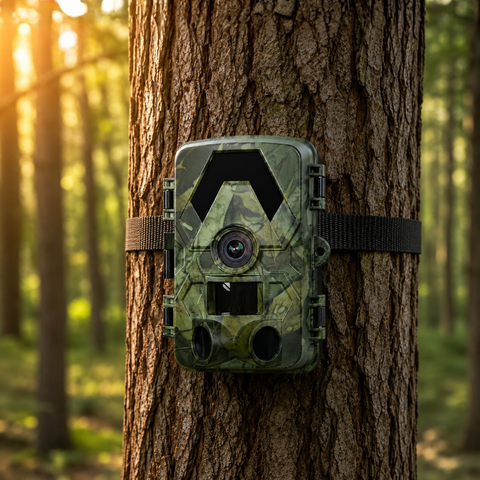

Turkeys are creatures of routine, and a well-placed trail camera turns that routine into information you can act on. Instead of guessing where the birds roost, strut, and feed, you build a clear picture of their daily movement in the weeks before opening day. This guide covers where to place a camera, what timing to watch for, and how to choose the right model for the way you like to scout.
Why trail cameras belong in your turkey pre-season
Scouting on foot works, but every trip through the woods risks bumping birds and pushing them off their pattern. A trail camera does the watching for you, quietly and around the clock, so you gather intel without adding pressure to the area. Over a couple of weeks you can confirm whether a tom is using a field edge, how many hens travel with him, and roughly what time he shows up.
The goal is a repeatable pattern. Turkeys tend to fly down at similar times, follow familiar travel corridors, and return to preferred strut zones. Once your camera reveals that rhythm, you can set up in the right place at the right time instead of relying on luck.
The best spots to hang a camera for turkeys
Placement matters more than any single feature. A few locations consistently produce useful turkey images:
- Field edges and green fields: Toms love open ground for strutting and displaying. Aim the camera along the edge where birds enter and exit.
- Strut zones: Flat, open areas — logging roads, ridge tops, pasture corners — where gobblers show off. These are gold for patterning a specific bird.
- Travel corridors: Fence gaps, field pinch points, and the base of ridges funnel birds predictably.
- Near roost areas: Set up 40 to 100 metres from a known roost to catch fly-down direction without spooking birds off the limb.
- Dusting and feeding sites: Loose soil for dust baths and areas rich in insects or waste grain draw repeat visits.
Mount the camera lower than you would for deer — roughly knee to waist height — since turkeys spend their time on the ground. Angle it slightly downward and clear tall grass from the detection zone so wind-blown vegetation doesn't trigger empty photos.
Getting useful images: settings and timing
Turkeys move fast and often at a distance, so image quality and trigger behaviour both count. SightForest cameras shoot 4K UHD video and 60MP photos with a PIR motion trigger and no-glow infrared to around 20 metres, so a bird crossing a field edge at first light still comes through sharp enough to identify. A wide 112 to 130 degree field of view helps capture birds that skirt the frame rather than walking straight through it.
A few practical tips for turkey-specific setups:
- Favour daylight windows: Turkeys are active from fly-down through mid-morning and again before roost. The no-glow IR covers low light, but most of your keepers will be daytime shots.
- Use a mix of photo and video: Photos are easy to scan; short video clips reveal strutting behaviour and how many birds are in a group.
- Mind the sun: Point the camera north where possible so morning and evening sun don't wash out the sensor.
- Check the card, not the woods: Space out your visits and go at midday when birds are least active to avoid tipping them off.
With an IP66 weatherproof rating, these cameras handle the wet, windy spring conditions that turkey season is famous for. A single microSD card of up to 128GB holds plenty of high-resolution footage between checks — a 128GB microSD card is a sensible pairing if you plan to shoot a lot of 4K video.
Choosing the right camera for how you scout
The best model depends on how far your scouting ground is and how often you can visit. Every SightForest trail camera shares the same core imaging — 4K UHD, 60MP, no-glow IR, IP66 — so the real decision is how you want to retrieve your images. Crucially, none of them require a monthly subscription, whichever way you connect.
- Close to home, hands-on: The SD Trail Camera 4K (€99.99) records straight to a microSD card. It's fully offline, dependable, and ideal if you can swing by to pull the card every week or two.
- On-site convenience: The WiFi Trail Camera 4K (€129.99) lets you pull images to your phone over a short-range app when you're standing near the camera — handy for checking a set-up without dismounting it.
- Remote ground, hands-off: The 4G Trail Camera 4K (€159.99) sends images to your phone over the cellular network, so you can scout a distant property from your kitchen table. It uses your own standard nano-SIM (not included) — a normal data SIM from any carrier, not an eSIM.
- Long, unattended runs: The 4G Solar Trail Camera 4K (€279.99) pairs cellular delivery with a built-in solar panel, so it can sit on a strut zone through the whole pre-season and into the hunt without a battery swap. It also takes your own standard nano-SIM (not included).
If you scout more than one bird or property, mixing models works well: an SD camera on the easy-access field edge and a 4G unit deep on the back forty. Browse the full lineup in the trail camera collection to compare.
Pair with optics for the final approach
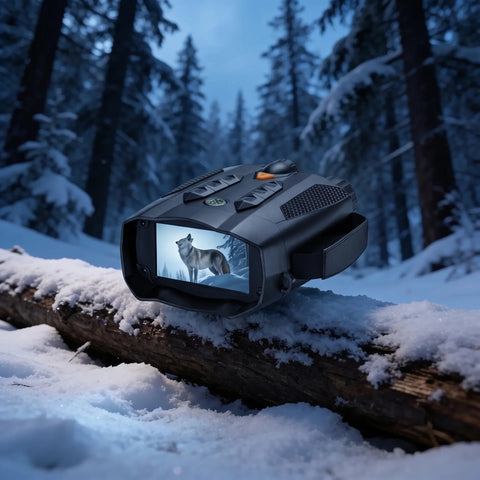
Cameras tell you where and when; your eyes close the deal. On the morning of a hunt, a good pair of night vision binoculars helps you glass a roost line in the pre-dawn dark and confirm birds are on the limb before you commit to a set-up. SightForest offers HD, 4K, and 4K Pro models in the night vision collection.
Putting it together
Start two to three weeks before your season, hang one or two cameras on the field edges and strut zones near a known roost, and let them run with minimal disturbance. Read the images for a pattern — fly-down time, travel direction, group size — then set up where the birds already want to be. A trail camera won't call the turkey in for you, but it takes the guesswork out of the where and when, which is most of the battle.
All SightForest cameras ship within about 48 hours with tracked delivery in 7 to 9 business days, and every one is backed by a 3-year warranty and a 30-day return window, so you can have a camera on the tree well before opening morning.
