SightForest · Quick-start guide
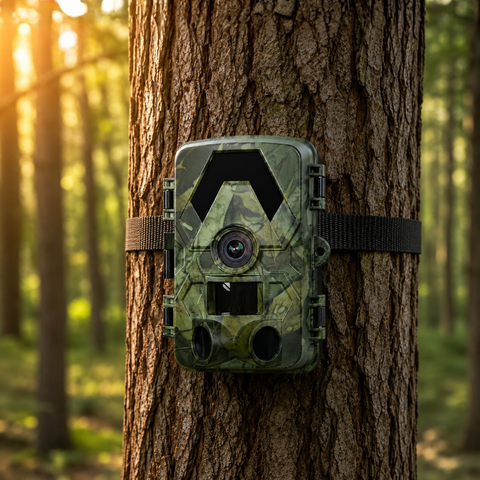
SD Trail Camera 4K

A simple, offline trail camera — no SIM, no app. Footage saves to the memory card for you to review.
In the box
Camera, mounting strap, USB-C cable and a printed quick-start card.
Set up in 6 steps
1
Load power
Insert AA batteries (rechargeables work too).
2
Insert the memory card
Add a microSD card up to 128GB.
3
Switch to SETUP
Slide the switch to SETUP to use the small screen.
4
Set date, time & sensitivity
On-screen, set the date/time and PIR sensitivity, then choose photo or video mode.
5
Arm & mount
Slide to ON and strap it about 1 m high, angled slightly down.
6
Review footage
Pull the card or connect over USB to view your shots — no app needed.
Troubleshooting
No recordings?
Check the switch is on ON, the card is inserted and formatted, and the batteries are fresh.
Won't turn on?
Fit fresh batteries the right way round and make sure the card isn't locked.
Blurry night shots?
Clean the lens and keep branches out of the infrared beam.
Card not recognised?
Format the card in the camera (up to 128GB, FAT32).
Specifications
Video resolution
4K UHD (2.7K · 1080p · 720p)
Photo resolution
60 MP (down to 8 MP)
Night vision
No-glow infrared LEDs · up to 20 m
Detection
PIR motion · 120° field of view
Trigger speed
0.2–0.5 s
Transmission
Offline — records to microSD (no SIM, no WiFi)
App
Free app via direct connection · no subscription
Screen
2" colour display
Storage
microSD up to 128 GB
Power
8× AA batteries
Sensor
CMOS · auto-focus
Waterproof
IP66 weatherproof
Mounting
Adjustable strap · tree or post
Dimensions (packed)
25 × 13 × 10 cm
Weight
0.70 kg
Certifications
CE · FCC · RoHS
Need a hand?
Our EU support team replies in your language within one working day.
